
Travel planner · iOS & Android

Your whole trip.
One app.

Itinerary, packing, souvenirs, spending and the split bill — in one place, and edited together by everyone on the trip.

Free with optional extras9 languages45 currencies2,900+ downloads in Japan

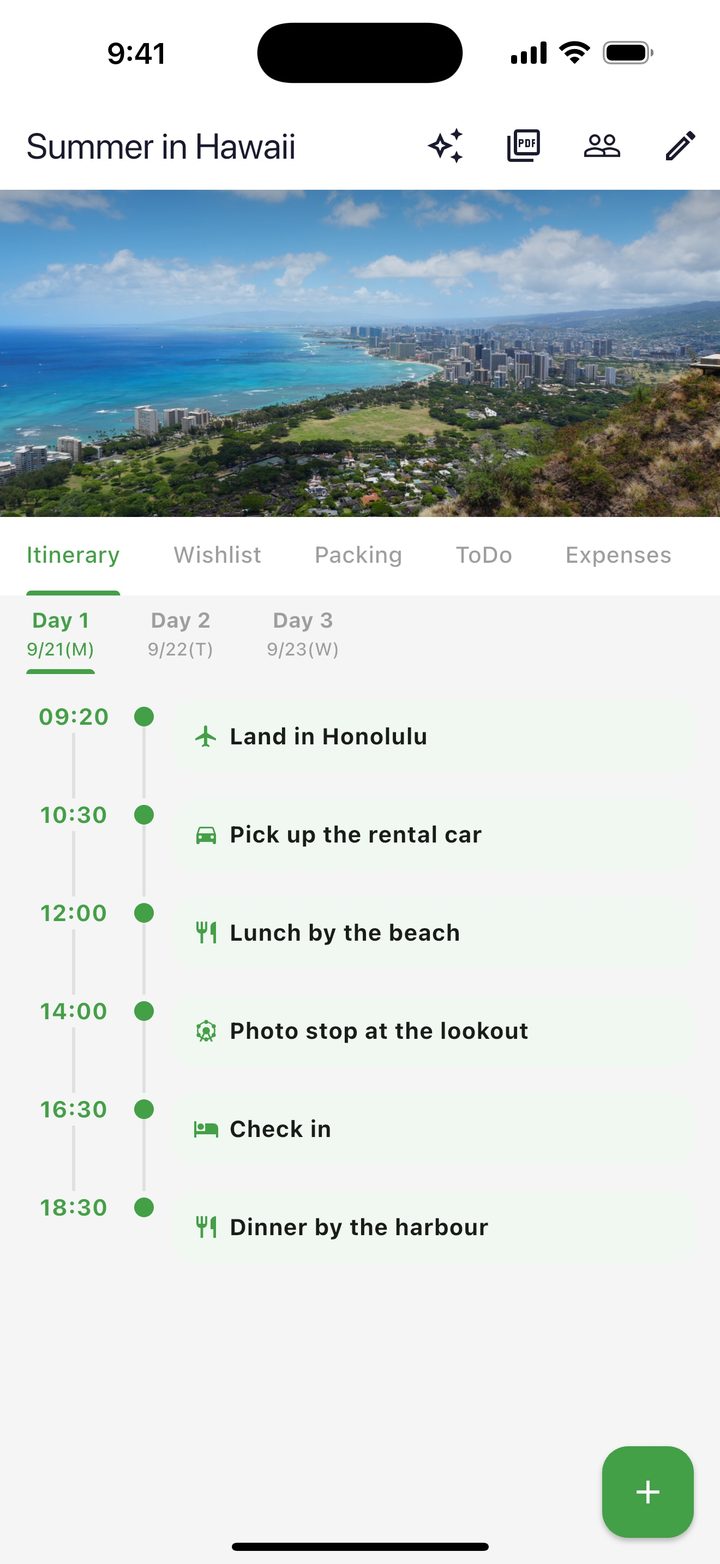
TripLala itinerary for a trip to Hawaii, day 1 from landing in Honolulu to dinner by the harbour

Planning a trip means opening too many apps.No more “where did I write that?”

An itinerary app for the schedule. A to-do app for what to buy. An expense tracker for the money. A notes app full of places to go. A camera roll of booking screenshots. With TripLala, it all lives in one app.

Itinerary appTo-do appExpense trackerNotes appScreenshots TripLala
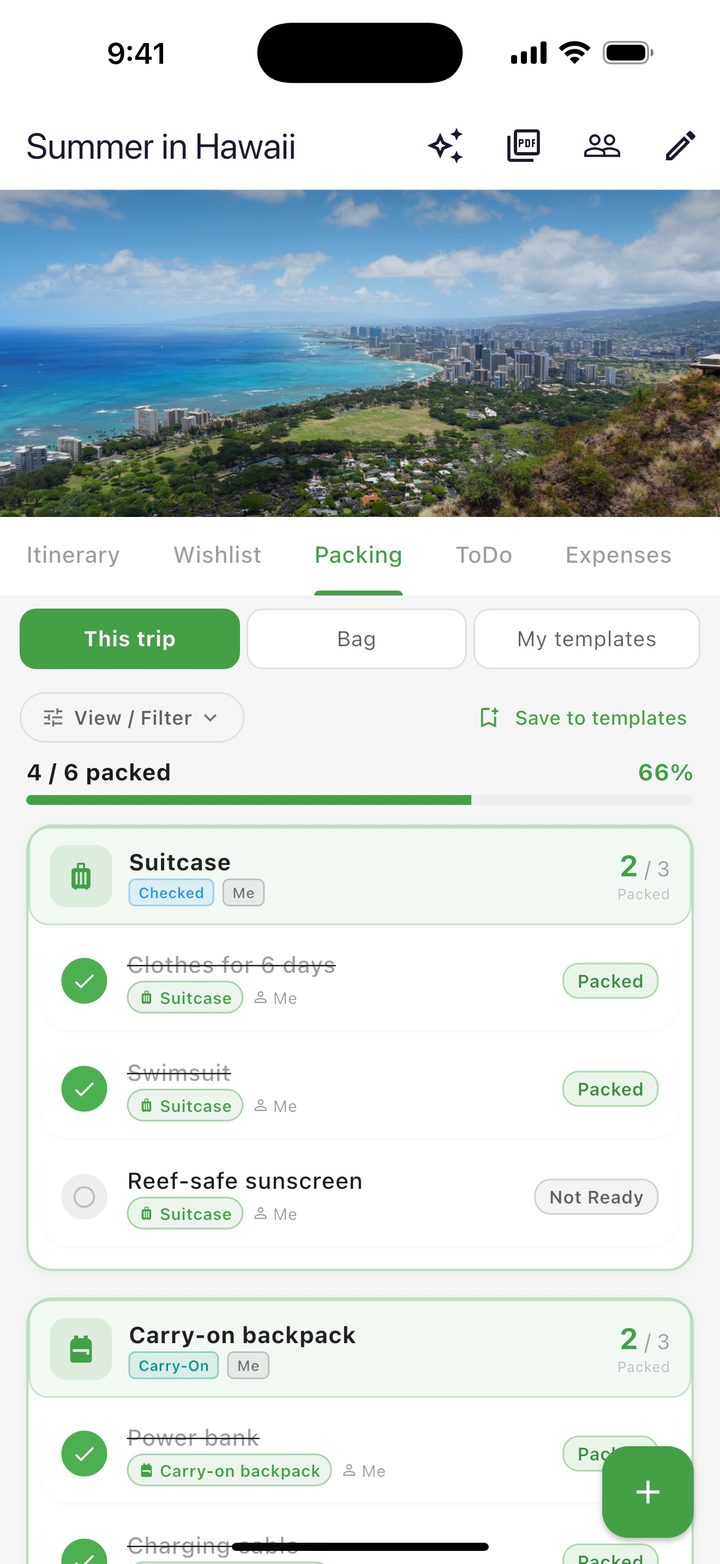
Packing list split into a suitcase and a carry-on backpack

Packing

Know which bag it's in.

Register the bags you're actually taking — suitcase, carry-on, toiletry pouch — and put each item into one of them. No more unpacking at the airport to find the charger.

  • Each bag is its own list, with a packed count
  • Share the trip and see who's carrying what
  • Save what you always bring as a template
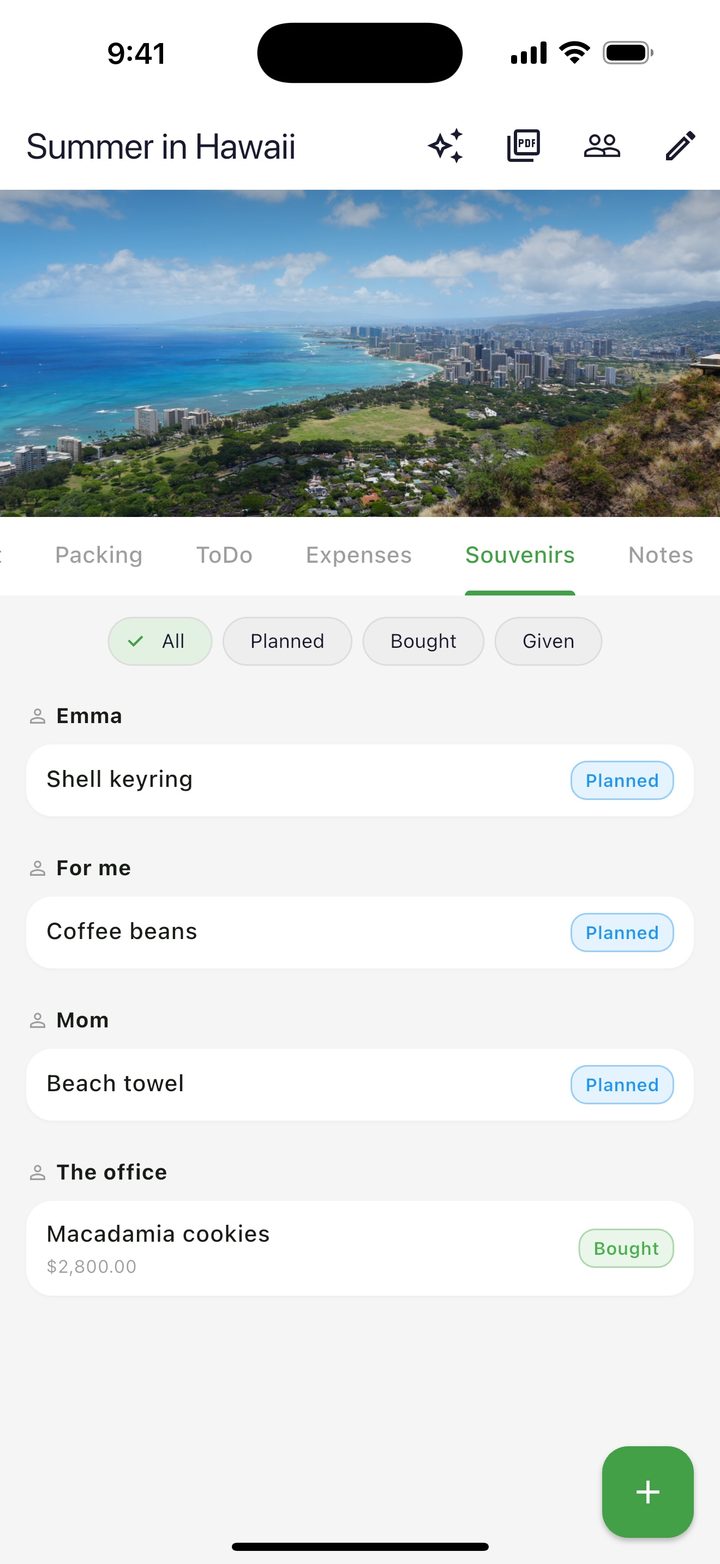
Souvenir list grouped by person with planned and bought status

Souvenirs

Never buy for the same person twice.

Halfway through a trip it gets hard to remember who you've already bought for. Keep one list: who it's for, what you planned, what you actually bought.

  • Gifts grouped by person
  • Planned → Bought → Given
  • Note what each one cost
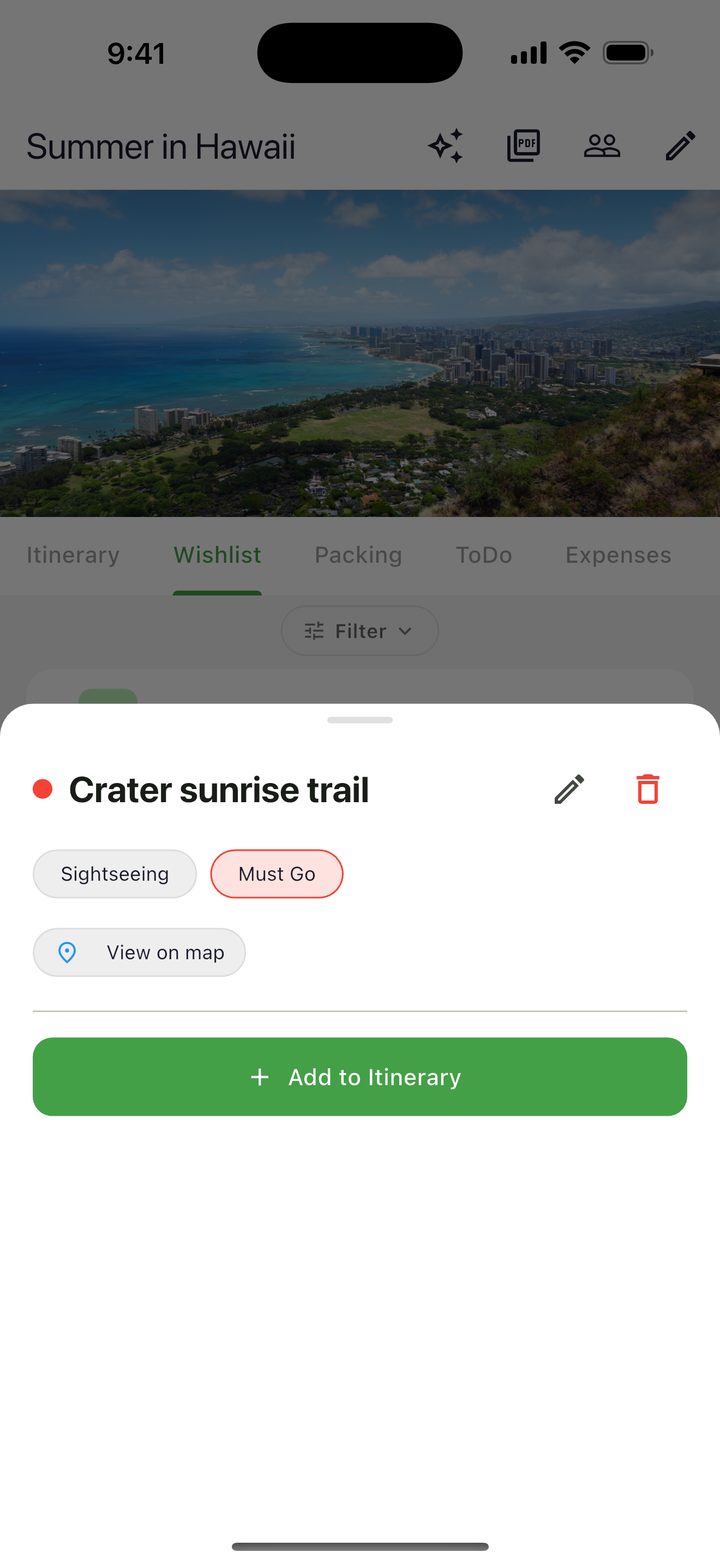
A saved place with a View on map button and Add to Itinerary

Places to go

Save it now. Open it in Maps later.

Cafés, sights, markets — keep the places you might go in one list and paste a Google Maps or Apple Maps link. On the day, one tap opens your maps app.

  • Mark the must-go spots
  • Filter by category
  • Move a place into your itinerary in one tap
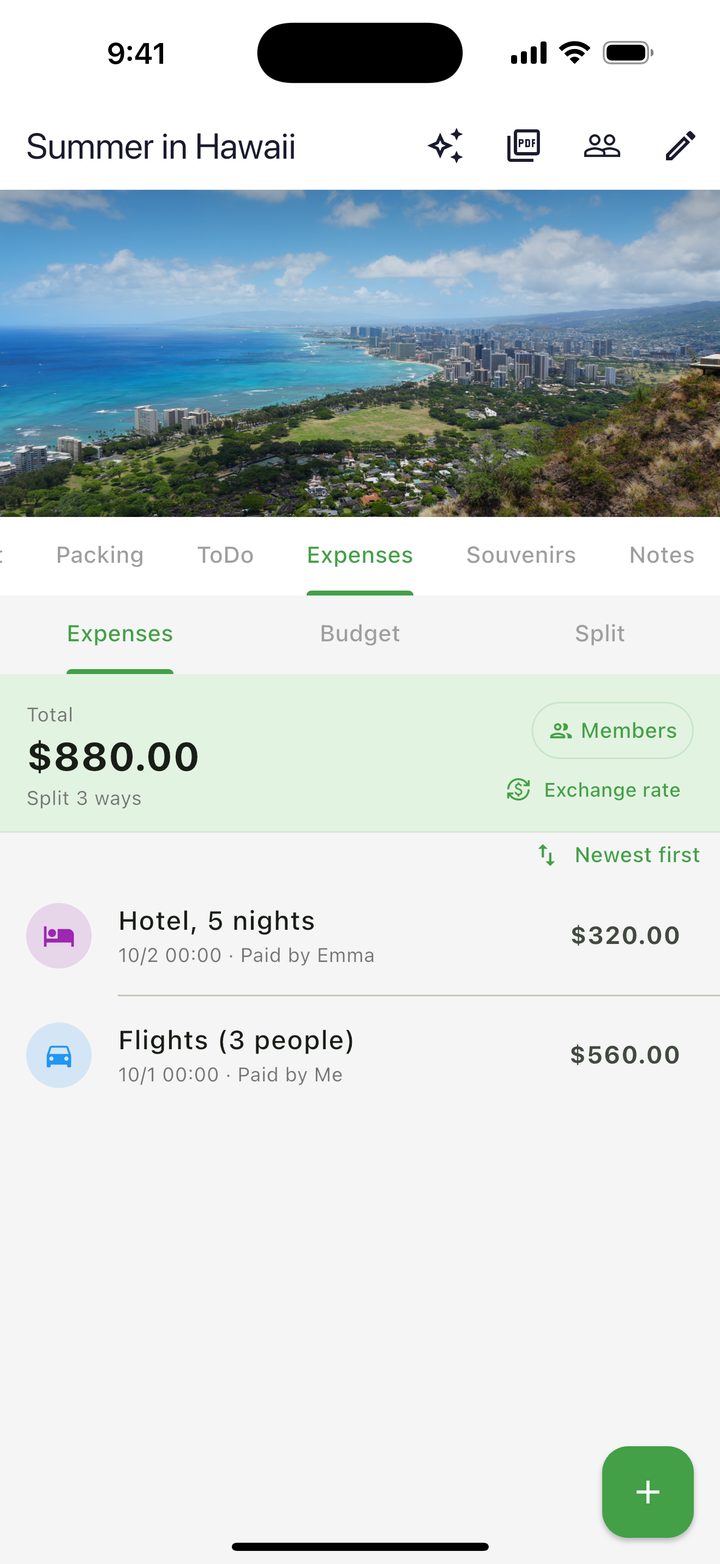
Expenses in US dollars with a total and the exchange rate
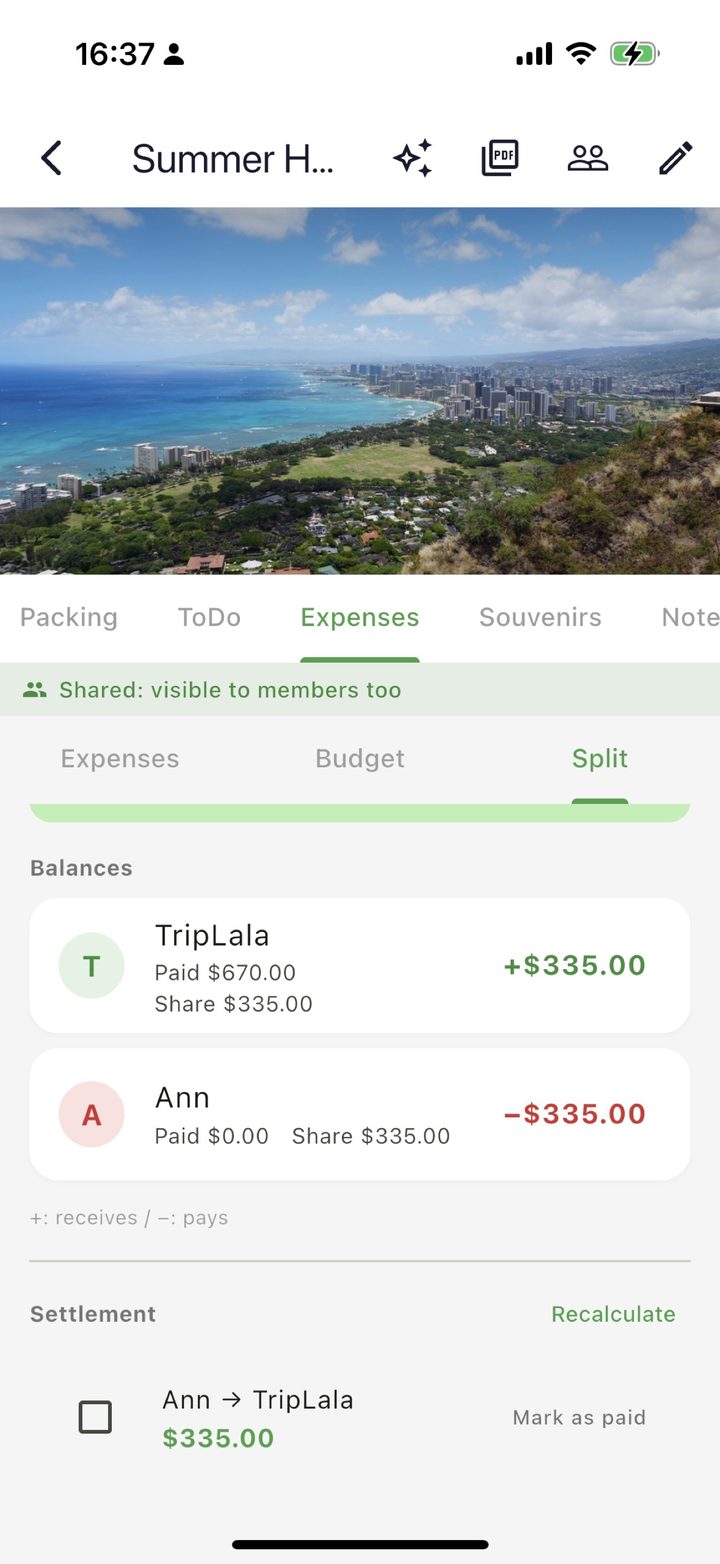
Split tab showing balances and who owes whom

Money

Spending, budget and the split bill.

Set the exchange rate once per trip and type the number on the price tag. Totals and your budget convert to your own currency — 45 currencies supported.

  • NEW  Split one payment with a different amount per person
  • See how much of the budget is left
  • TripLala works out who owes whom
Shared itinerary
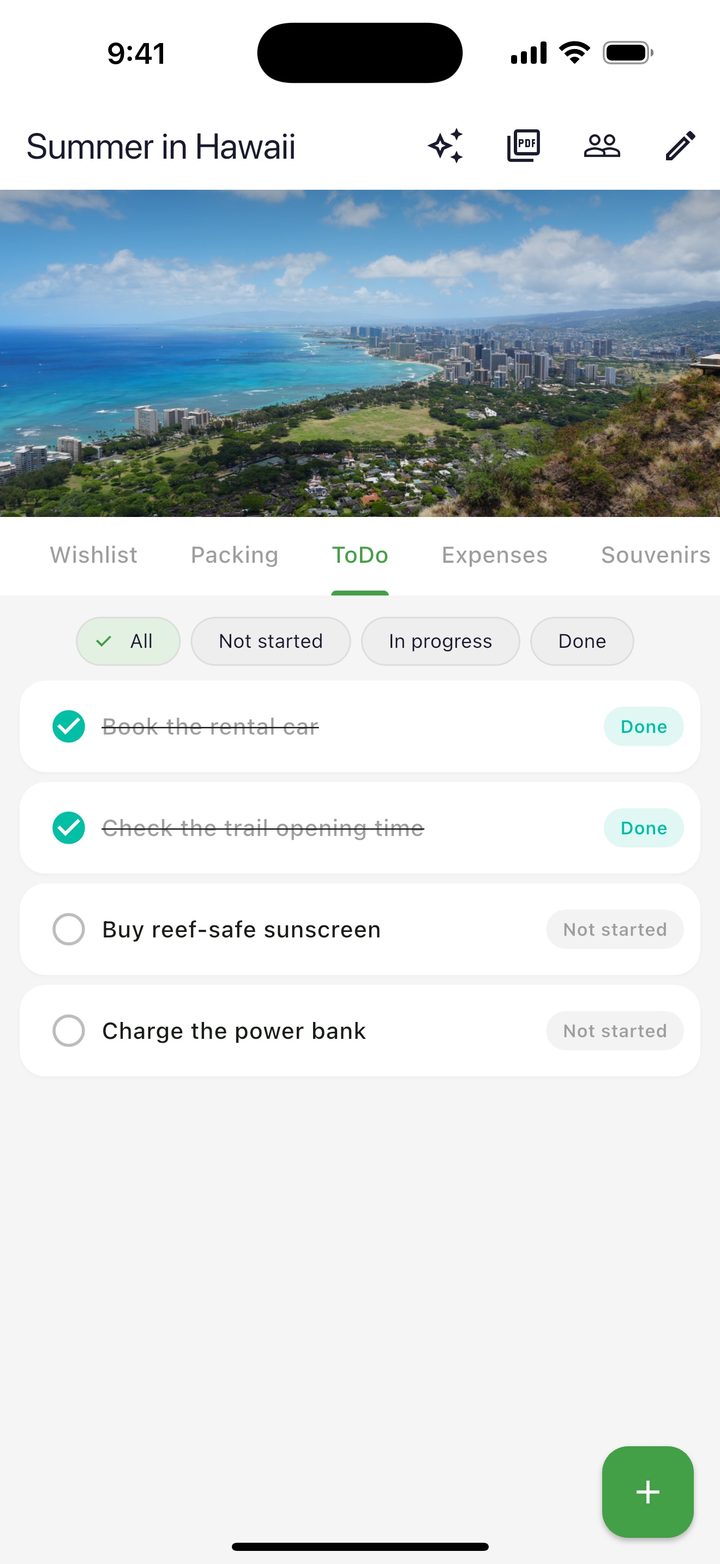
Shared to-do list

Together

Plan it together.

Share a trip with a link. Everyone edits the same itinerary, packing list and budget — so nobody ends up being the only one keeping it up to date.

  • Invite with a link — no sign-up form
  • Changes show up on everyone's phone
  • Choose whether to share money and souvenirs
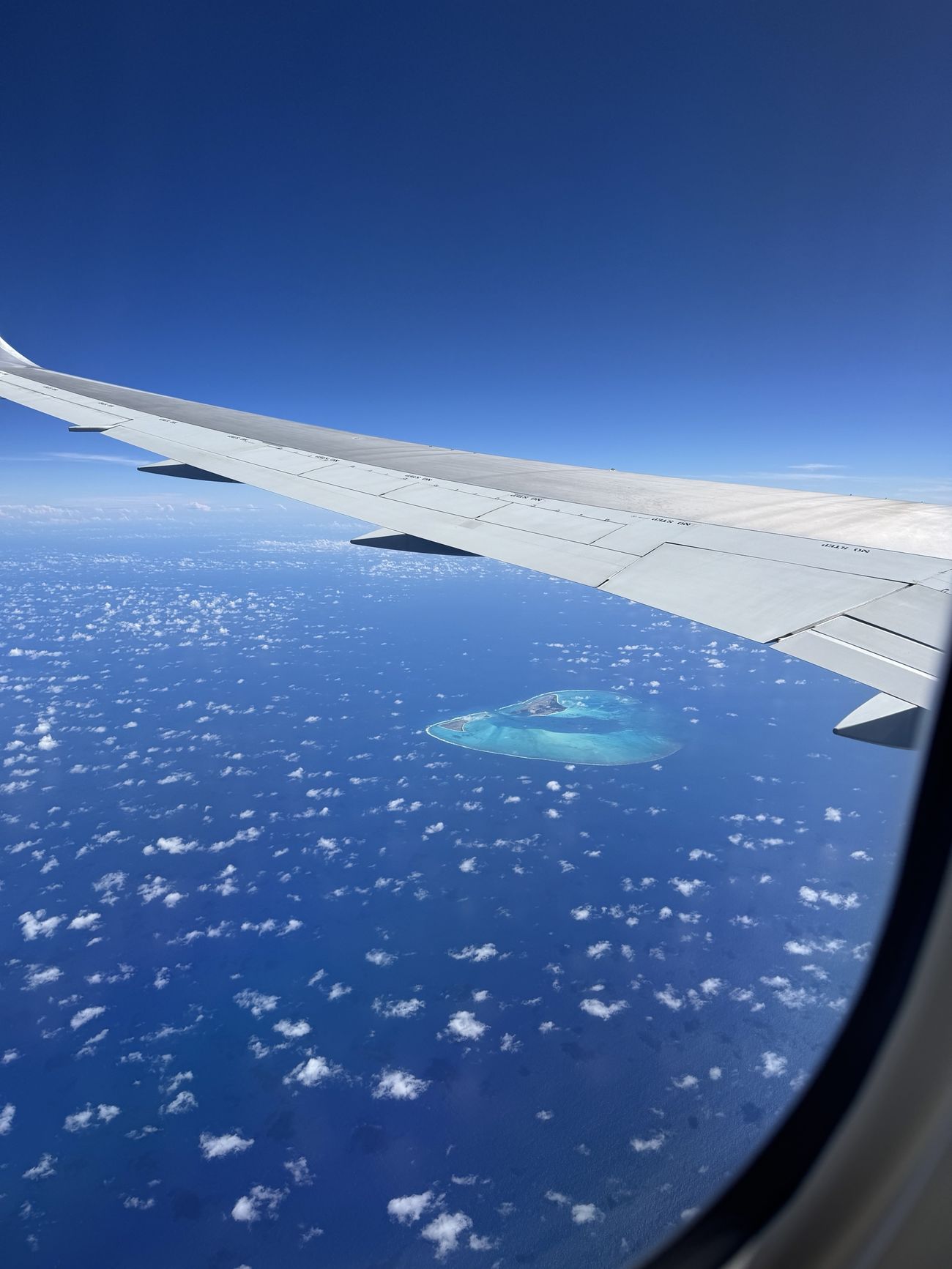
A heart-shaped island seen from a plane window, with the wing above it
A heart-shaped island, seen on the flight to Hawaii. Photo by Daiki.

Why it exists

Built from trips with my wife.

“TripLala is a list of small wishes my wife and I had while traveling, built one at a time. Every trip, I noticed how much the two of us were doing beyond making a schedule — packing, booking, tracking money, thinking about souvenirs.

There were apps for each piece, but moving between them was the tiring part. I wanted the preparation to stop being a chore and go back to being the exciting part of a trip.”

— Daiki Eguchi, independent developer in Japan

And more

The small things that add up.

To-dos before you go

Tickets, currency exchange, things to buy. Check them off as you go.

A booklet you can print

Turn the plan into a PDF travel booklet with a cover you design yourself (TripLala+).

A map of where you've been

The places you visit fill in on a map, trip after trip.

A stamp for every trip

Each trip you take becomes a stamp in your collection.

Works offline

Anything you've opened stays available without a signal, and syncs when you're back online.

9 languages

English, Japanese, Spanish, Portuguese, German, French, Korean and both Chinese scripts.

Questions

Is it free?

Yes. The core features — itinerary, packing, money, souvenirs, notes and sharing — are free. TripLala+ (paid) adds the PDF booklet and printing, custom cover designs, and removes ads.

Do I need an account?

No. You can use the core features without signing up. When you share a trip, an anonymous account may be created in the background so everyone's changes can sync.

Does it work offline?

Yes. Anything you've loaded can be viewed and edited offline. Changes sync the next time you're connected.

Who can see a shared trip?

Only people with the invite link can join. Invite links last 30 days and you can stop sharing at any time. People who've already joined keep access after the link expires.

Can I delete my data?

Yes. You can delete trips and items at any time. To delete everything, uninstall the app or see account deletion.

Can I print the booklet?

Yes. With TripLala+ you can create, save and print a PDF booklet of your itinerary, packing list, souvenirs and notes.

Start your next trip in TripLala.

Free · iPhone & Android · 9 languages